Pre-defined User Snippets
This #recipe allows us to introduce slash-style commands to Foam, by using VS Code Snippets. Consider the below snippets:
{ "Zettelkasten Id": { "scope": "markdown", "prefix": "/id", "description": "Zettelkasten Id", "body": [ "${CURRENT_YEAR}-${CURRENT_MONTH}-${CURRENT_DATE} ${CURRENT_HOUR}:${CURRENT_MINUTE}:${CURRENT_SECOND}" ] }, "Current date": { "scope": "markdown", "prefix": "/date", "description": "Current date", "body": [ "${CURRENT_YEAR}-${CURRENT_MONTH}-${CURRENT_DATE} ${CURRENT_HOUR}:${CURRENT_MINUTE}:${CURRENT_SECOND}" ] }}Which would look like:
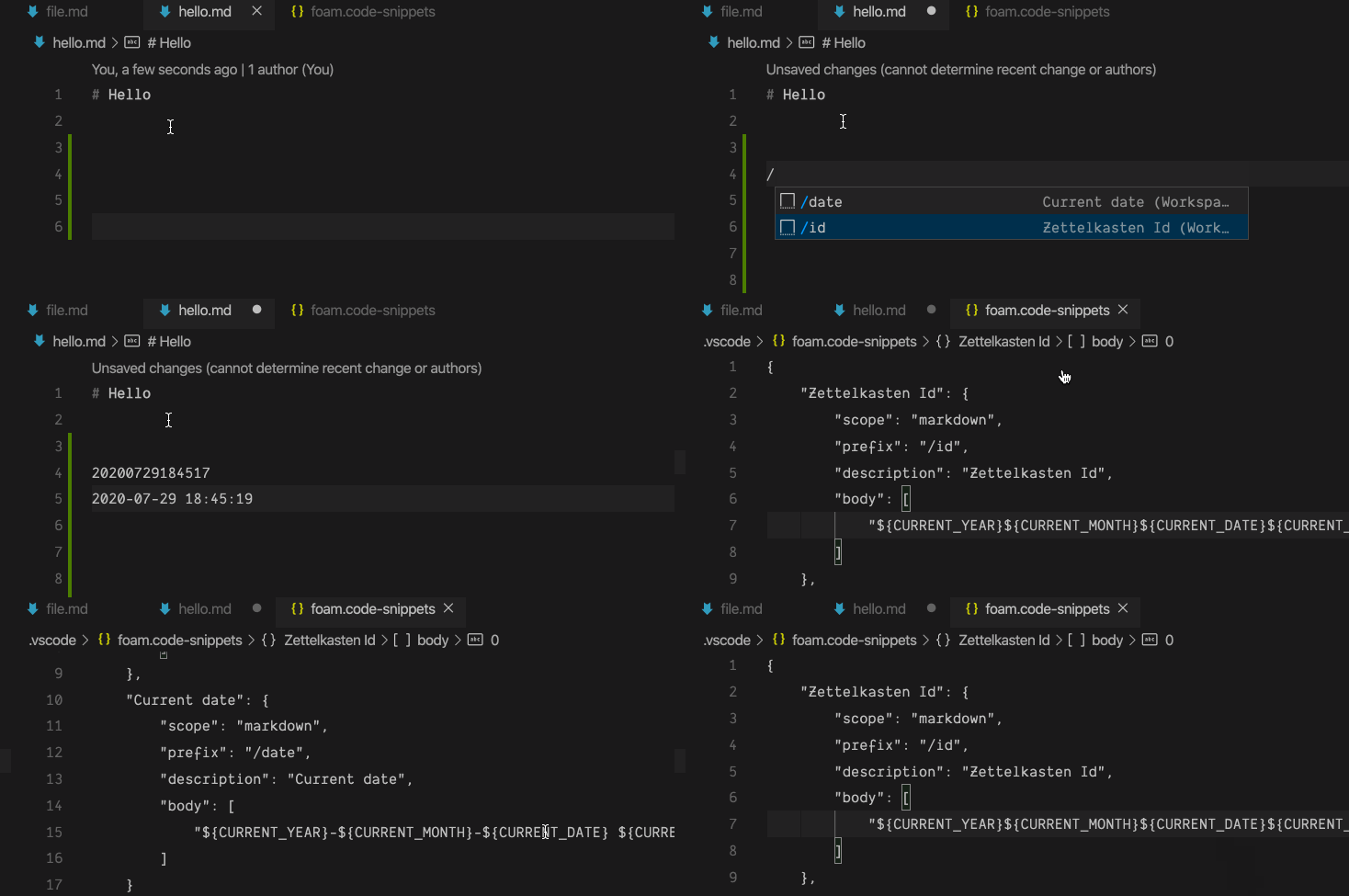
Using snippets enables Foam users to add Adding Custom Snippets themselves so they live alongside the first-class /commands.
Notes & Considerations
Section titled “Notes & Considerations”- VS Code supplies “commands” already via the command palette
- Consider the UX around this. Users less familiar with VS Code are more likely to be familiar with
/to trigger a command menu. Experienced VS Code users may be more likely to favour the command palette.
- Consider the UX around this. Users less familiar with VS Code are more likely to be familiar with
- We can use
TabCompletionProviderandsnippetsand mix them (maybe) via the following VS Code setting:"editor.snippetSuggestions": "inline" | "top" | "bottom" | "none" - For more discussion, consult the PR here.
Simplifying Markdown Syntax
Section titled “Simplifying Markdown Syntax”Some markdown syntax is difficult for users who have never authored markdown before. Take for example a checkbox/todo. The following syntax is required:
- [ ] Something todo...We could provide snippets that expand out into the associated markdown syntax, like in the below GIF:
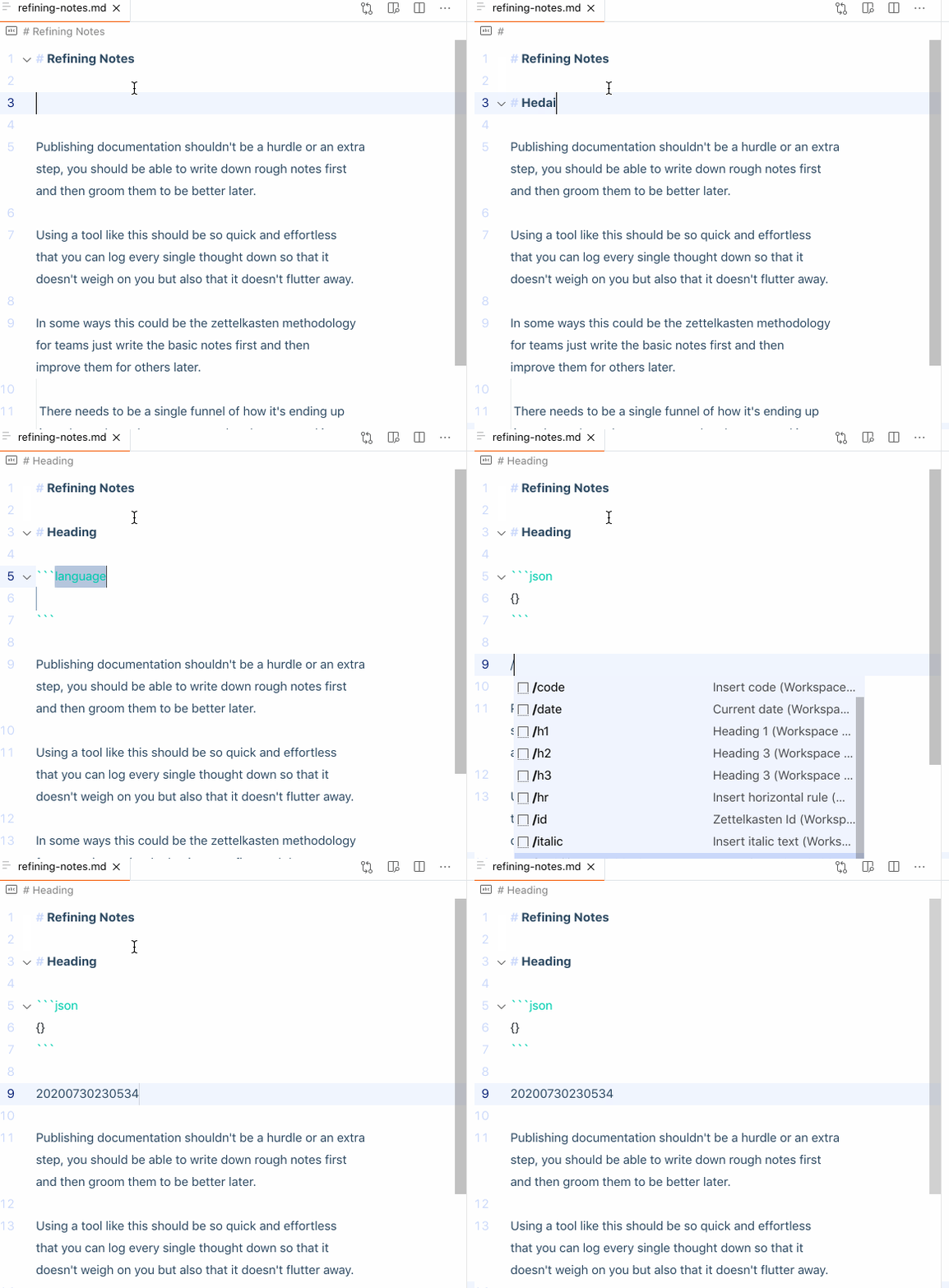
The JSON for these snippets can be found here.
Published with Foam